
"Reminder emails for online bookings are normally sent a week before and the day before your appointment, but recently there have been many cases where that email does not arrive." That sentence is not from a support forum — it is a notice a Japanese dental clinic published on its own website. The cause it gives is not the wording of the email. It is "tightened security at the carriers." This article is for anyone who runs a business people book time with: salons, studios, private tutors, clinics, independent professionals.
Confirmation emails fail in two different places. One is knowing what to write. The other is that sending an email and having it arrive are two separate events, and nothing tells the sender which one happened. Below are templates you can paste and use for confirmations, reminders and cancellations — then how to check whether yours are arriving at all, what changes legally the moment you add a promotion to a confirmation, and when it stops being worth sending these by hand.
Contents
- Confirmation email templates: booked, changed, and fully booked
- Reminder templates, and how to pick the send time
- What to send back when someone cancels
- Before you rewrite anything: is the email arriving?
- Add one promotional line and the email changes category
- When to stop sending these by hand, and what to check
- The one thing to change today
For the wider picture on running an appointment business, see the resources for service businesses.
Confirmation email templates: booked, changed, and fully booked

A confirmation email needs facts in order, not decoration. Date and time, place, duration, price, and how to change it. If those five are readable in the first three lines, most of the reasons a customer would email you back disappear. Put the date in the subject line too — that is how they find the email again two weeks later.
When a booking is taken
Subject
[Booking confirmed] Fri 8 Aug, 14:00 — Studio Example
Body
Dear Ms Tanaka,
Thank you for booking with us. Your appointment is confirmed as below.
Date: Friday 8 August, 14:00–15:00
Place: Studio Example, 1-2-3 Example, 3F
Service: Standard course (60 min)
Price: 8,800 yen (incl. tax)
Please arrive about five minutes early.
If your plans change, replying to this email by 18:00 the day before helps us offer the slot to someone else.
We look forward to seeing you.
The reply address is the part most often got wrong. If your booking form sends from a no-reply address, the customer has no way to tell you about a change. If you must send from an address that cannot receive replies, put a phone number or a link in the body.
When the time changes
Subject
[Booking changed] Fri 8 Aug → Tue 12 Aug, 14:00 — Studio Example
Body
Dear Ms Tanaka,
Thank you for letting us know. Your booking has been moved.
Was: Friday 8 August, 14:00
Now: Tuesday 12 August, 14:00–15:00
The service and price are unchanged.
This email confirms the new booking.
Always show both the old time and the new one. If you send only the new time, the original confirmation is still sitting in their inbox and there is no way to tell which one is current. Putting both in the subject line solves the same problem when they search later.
When the slot they wanted is gone
The hardest of the three is neither the confirmation nor the change — it is turning someone down. One business owner asked publicly whether ending such an email with "should the opportunity arise again, I hope to be of service" sounded wrong. It does read as distant: what you declined was a time slot, not the person. Offer alternatives and it stops being a refusal and becomes a proposal.
Subject
[Your booking request] Alternatives to Fri 8 Aug, 14:00 — Studio Example
Body
Dear Ms Tanaka,
Thank you for your booking request.
Unfortunately Friday 8 August at 14:00 is already taken.
These times near it are open:
1. Friday 8 August, 17:00
2. Saturday 9 August, 14:00
3. Tuesday 12 August, 14:00
Reply with just the number and we will confirm it.
If none of them work, let us know and we will look for other dates.
"Reply with just the number" removes one round trip. The less writing you ask a customer to do, the sooner the answer comes back.
Reminder templates, and how to pick the send time
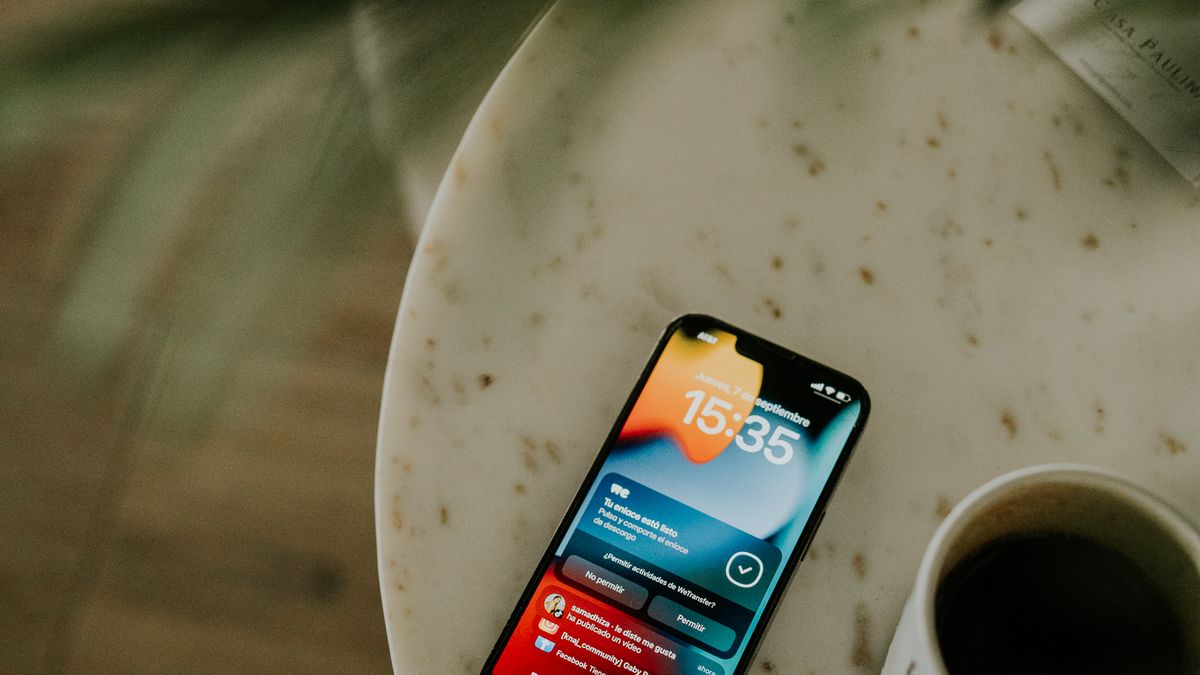
A reminder is not only there to jog someone's memory. It is also an invitation for people who already know they cannot come to say so early. That is why cancellation and change instructions belong inside it. A reminder without them does not reduce empty slots.
Subject
[Tomorrow] Fri 8 Aug, 14:00 — Studio Example
Body
Dear Ms Tanaka,
A quick note that your appointment is tomorrow.
Date: Friday 8 August, 14:00–15:00
Place: Studio Example (4 min from the east exit)
Bring: nothing in particular
If your plans have changed, replying today makes it much easier for us to find you another time.
On the day itself, please call 03-0000-0000.
Choose the send time by working backwards from the last moment the customer could still move the appointment, not from your own convenience. A reminder sent at 9pm the night before reaches someone at 7am, with no time left to rearrange anything.
| Type of booking | When to send | Why |
|---|---|---|
| One-hour personal treatment or lesson | Morning of the day before | Leaves time to refill the slot that same day |
| First visit or trial (attendance hard to predict) | 3 days before and the day before | First confirms the plan, second gives directions |
| Meetings that need preparation | 3 days before | Materials and other attendees can still be arranged |
| Group classes and events | 1 week before and the day before | A dropout can still be filled from the waitlist |
More is not better. Three identical messages train people to skip everything from you. Give each one a distinct job — the first confirms the plan, the second handles the practicalities of the day — and two still get read.
What to send back when someone cancels
With cancellations, how fast you reply is the whole impression. The customer is uncomfortable sending it — people genuinely search for how to word a cancellation to a salon because they do not know what to say. The shorter and lighter your reply, the more likely they book again.
Subject
[Cancellation received] Fri 8 Aug, 14:00 — Studio Example
Body
Dear Ms Tanaka,
Thank you for letting us know.
Your booking for Friday 8 August at 14:00 has been cancelled. There is no cancellation fee.
Please book again whenever it suits you.
Booking page: (URL)
If a fee does apply, put the amount and the rule in this same email. An invoice arriving later is what turns a cancellation into a dispute. Stating the policy — free until the day before, 50% on the day — inside the original confirmation is what lets this reply stay short.
Even for a no-show, do not write a reproachful email. Leaving room for the next booking fills more seats than making a point does. For the prepayment side of the same problem, see the article on prepaid bookings and no-shows.
Before you rewrite anything: is the email arriving?
No amount of editing fixes this one. An email looks successful the moment it leaves, but the receiving side decides whether to accept it — and when it is filed as spam, nothing comes back to the sender. No error, no bounce. It sits in your sent folder looking fine.
Japan's Ministry of Internal Affairs and Communications publishes a tally compiled with ten domestic telecom carriers. As of September 2025 those carriers received 1.71 trillion messages a day, of which 801 billion were spam — 46.82% of everything received. In the same month there were 121.73 million mail accounts and 103.85 million spam-filter users, meaning roughly 85% of accounts have filtering switched on (source: MIC, "Share of spam among all email received by ten telecom carriers", as of September 2025, covering ten domestic carriers). When close to half of arriving mail really is spam, aggressive filtering is not an overreaction.
The sending side has published conditions too. Since 1 February 2024, Google has required every sender to Gmail addresses to configure SPF or DKIM on the sending domain. Senders of more than 5,000 messages a day must have SPF, DKIM and DMARC, and must keep their spam-complaint rate below 0.3% (0.10% recommended); mail that does not comply "may be classified as spam" (source: Google, "Email sender guidelines", Gmail Help, as of August 2026). If you send confirmations by hand from a free personal address, you have almost certainly never checked whether you meet any of this.
The clinic quoted at the top had diagnosed it correctly: "most people's copies are being sorted into the spam folder," it says, before asking patients to change their receiving settings. Another clinic goes further and simply operates on the assumption that email fails: "If you have had no reply or call after 12 hours, we are sorry — sometimes the email does not reach us for some reason. Please telephone us instead." That is a business waiting for the phone to ring because it cannot trust its own email.
Checking is easy. Send one message to yourself from the exact address your customers see. Not to your own work inbox — that proves nothing. Send it to a mobile-carrier address and to a Gmail address, and look at which folder it lands in. If even one goes to spam, you have something to fix before you touch the wording.
Add one promotional line and the email changes category

Confirmation emails get opened, so it is tempting to slip a coupon or a new-service announcement into them. It is worth pausing there. An email with advertising in it and one without do not sit in the same legal category in Japan.
The guideline published jointly by MIC and the Consumer Affairs Agency lists, among emails that are not covered by the Act on Regulation of Transmission of Specified Electronic Mail, "email that is a notification relating to a transactional relationship, such as administrative correspondence explaining terms of a transaction or a billing notice, that contains no advertising or promotional content and does not direct the recipient to an advertising or promotional website" (source: MIC Telecommunications Consumer Policy Division and CAA Trade Practices Division, "Guideline on the transmission of specified electronic mail", August 2011). A plain booking confirmation falls outside the Act on that reading.
It is not, however, a rule that one promotional line makes you instantly non-compliant. The same guideline carries an exception for cases where the email's main purpose is a transactional notification and the advertising is incidental — it gives "administrative correspondence such as billing or service changes arising from a contract, containing incidental advertising" as an example. The line falls on where the email's primary purpose sits.
In practice it is faster to avoid needing the judgement at all.
- Keep confirmations, reminders and cancellations to facts only — time, place, price, how to change it. No promotions in these three.
- Put announcements in a separate message, treat that one as marketing email, and give it consent plus the required sender identification and opt-out details.
- Collect consent at booking as an optional tick, never as a condition of booking, and keep a record of who agreed.
Separating them also helps practically. Promotional email attracts spam complaints, and once those accumulate against your sending address, your confirmations sink with them — and as the previous section explained, you will not be told.
When to stop sending these by hand, and what to check
Decide this on volume, not on how tiring it feels. Once you put a number on it, it is usually larger than it seemed.
Take a studio taking three bookings a day and sending confirmations and reminders by hand. Two emails per booking, three minutes each to write and send, is 18 minutes a day. Over 22 working days that is 396 minutes — about 6.6 hours a month. At 2,000 yen an hour, 13,200 yen a month, or 158,400 yen a year. Substitute your own volume and rate and run it again.
On top of that sit the misses that only happen with manual work: the confirmation never sent, the time typed wrong, the change never passed on. Preventing a single no-show a month at 8,800 yen is another 105,600 yen a year.
When comparing tools, these four are what matter here.
- Can you set the sender and reply-to addresses? If your only option sends from an address that cannot receive replies, customers lose their way of telling you about changes.
- Can you rewrite the wording? Default copy never sounds like your business.
- Can you set reminder timing precisely? A tool locked to "the day before" is useless if your bookings need three days' notice.
- Can customers reschedule themselves? A link in the email that lets them move the booking removes the exchange entirely.
One caveat first. No tool can guarantee how a receiving server will judge its mail. If a vendor claims their email always arrives, treat that as a reason for suspicion. What a tool actually changes is that sending happens through one consistent mechanism, that you can choose the reply address, and that nothing gets forgotten.
As one example of a tool that covers those four points, here is SailLab.
SailLab

SailLab is a Japanese booking system that keeps the booking itself and the emails around it in one place.
- Confirmation, reschedule and cancellation emails are sent automatically to both guest and host, with an optional calendar file (.ics) attached.
- Reminder timing is set in minutes, hours, days, weeks or months, before or after the meeting — the "after" setting doubles as a follow-up email.
- Templates are editable, with merge variables for names and times, and separate English and Japanese versions.
- The reply-to address is yours to choose — owner, organization, no-reply, or a custom address — so change requests land where you want them.
- Template sets are assigned per booking page, so first-time enquiries and returning customers can receive different wording.
A typical split: a first-visit or trial page sends two reminders, three days before and the day before, to lift attendance; a returning-customer page sends one the day before. Same business, different reasons for coming, different amount of notice needed.
| Plan | Monthly (excl. tax) | What you get for email |
|---|---|---|
| Free | ¥0 | Automatic confirmation and reminder emails |
| Light | ¥1,000 | The above, plus editable email templates |
| Standard | ¥1,500 | The above, plus email branding (logo, colors) |
| Professional | ¥2,800 | The same feature set as Standard |
Automatic confirmations and reminders are included in the free plan (as of August 2026). Light is the step for rewriting the copy in your own voice; Standard for matching the email's appearance to your brand. Current details are on the pricing page. It suits anyone who wants bookings and the messages around them in one place.
The one thing to change today

Of everything above, the first thing worth doing is not swapping in a new template. It is sending one test message from the address you actually use, to your own mobile address and to a Gmail address. It takes five minutes and the answer is unambiguous: inbox, or spam.
If it reaches the inbox, go and improve the wording — take the templates above as they are. If it lands in spam, then some share of the confirmations you are sending customers right now is not being read, and that comes first.
To reconsider how bookings arrive in the first place, the limits of using Google Forms as a booking system covers adjacent ground. For scheduling emails with business counterparts rather than customers, see scheduling email templates and reply patterns. Examples from classes and schools are on the education use-case page.
SailLab is free to try. Create an account (no credit card required).
Automate your booking flow with SailLab
Calendar sync, automatic reminders, and prepaid bookings — all in one booking page. The Free plan takes 3 minutes to set up, no credit card required.