
"Every scheduling email in Japanese takes me half an hour with a dictionary." "I mixed up JST and my client's time zone and booked myself a 3 a.m. call." If you're a coach, consultant, recruiter, or professional in Japan serving both Japanese and international clients, some version of this is familiar.
The burden isn't your language skills. It's a structure where language and time-zone conversion get re-explained by email, every single time. This article checks the data on why cross-language bookings keep growing, then covers the four mechanisms that remove the language and time-zone walls, how to choose a bilingual booking system, and the payback math.
Contents
For the wider picture on running bookings as a solo professional or small team, see our Freelancers & Small Teams resources.
Why cross-language scheduling is so heavy

First, the trend line. More and more businesses in Japan deal directly with counterparts abroad. Japan's Small and Medium Enterprise Agency reports that 21.0% of SMEs were direct exporters as of FY2021 (source: SME Agency, "2024 White Paper on Small and Medium Enterprises", published 2024). In cross-border e-commerce, Chinese consumers alone bought an estimated ¥2.43 trillion from Japanese sellers in 2024, and US consumers ¥1.48 trillion (source: METI, "Market Survey on Electronic Commerce", as of July 2026). Working from Japan, the odds of a meeting with an overseas client or partner rise every year.
The cost of each one is what hurts. A cross-language scheduling email is never just a translation: you convert candidate slots into the other side's time zone, double-check date formats and AM/PM, then convert again — in reverse — when the reply comes back. Three to five round-trips per confirmed meeting is normal.
And every round-trip breaks your focus. You draft the options in English, convert them into the other party's time zone, wait for a reply, then rebuild the list — three rounds is common before one meeting is confirmed. The wider the time gap, the longer each round-trip takes. If replies land on the next business day, confirming a single meeting takes a week.
Why time-zone mistakes keep happening
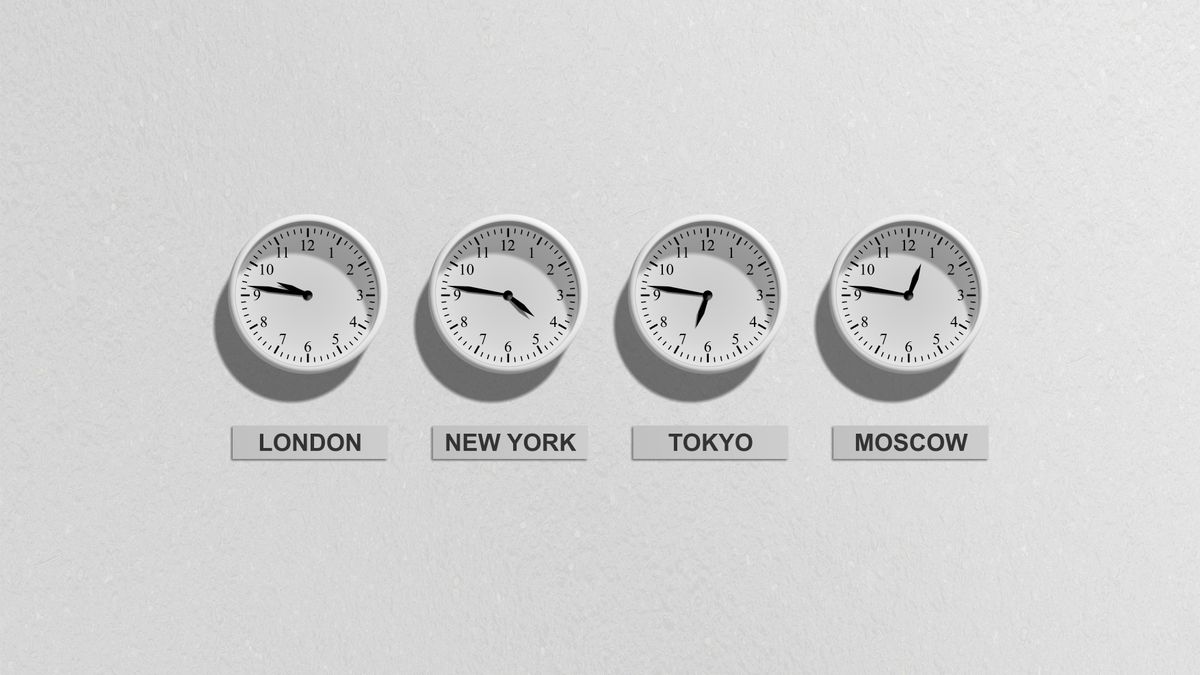
Time-zone accidents look like carelessness, but they're structural. Two reasons.
First, "tomorrow at 3 p.m." exists twice. A time written in an email silently assumes the writer's time zone; the reader's brain silently assumes their own. The moment those differ, one appointment becomes two. Tokyo and New York sit roughly 14 hours apart — misread it, and someone gets a middle-of-the-night meeting.
Second, the offset itself moves twice a year. Most of the US and Europe observe daylight saving time, so the gap to Japan (which doesn't) shifts by an hour each spring and autumn. Any conversion done from memory — "it was 13 hours last time" — is guaranteed to break at the changeover.
As long as humans do the converting inside emails, both traps stay armed. The fix isn't more care; it's removing the conversion step entirely.
From "writing it" to "showing it"

The shift is simple: stop writing the language and time-zone explanations into emails, and let a booking page show them instead. If the page renders in the guest's language and lists your availability in the guest's local time, the explanatory round-trips have nothing left to explain.
The guest opens a link and picks a slot in their own local time. The same booking lands on your side in yours. "Wait — whose 3 p.m.?" never comes up, because each side only ever sees their own clock.
Confirmations and reminders follow the same principle: sent automatically in the page's language, so nobody hand-writes "ご予約ありがとうございます" or "Thank you for booking" ever again.
The four mechanisms that remove the walls
Condensed, a bilingual booking operation needs four mechanisms — each removes a different wall.
- 1. A booking page in the guest's language: buttons, labels, and instructions render in the language the guest expects. Separate links for Japanese-speaking and English-speaking clients keep both experiences native.
- 2. Automatic time-zone display: the guest selects their time zone and every slot renders in their local time. The conversion step disappears from both sides.
- 3. Automatic emails in the page language: confirmations and reminders go out without drafting — and without being forgotten.
- 4. An intake form in the guest's language: goals and context arrive with the booking, so the first ten minutes of the meeting start at the substance, not at introductions.
How to choose a bilingual booking system

"English supported" covers a wide range of depth. Some tools translate only part of the page; some leave the emails in Japanese; some pin all times to the owner's time zone. Any one gap re-creates the explanatory email that the tool was supposed to remove. Four points to check:
- Can the display language be set per booking link (so Japanese and English clients each get a native page)?
- Are slots shown in the guest's time zone, not pinned to the owner's?
- Do confirmation and reminder emails follow the page's language?
- Can intake form questions be written freely in the language you need?
Below, as one example of a tool that clears all four points, we'll look at SailLab.
SailLab

SailLab is a Japan-built booking system designed for Japanese–English bilingual operation from the ground up — the admin app and the booking pages both run in either language.
- Per-link language: set each booking link to Japanese or English; the booking page AND its confirmation and reminder emails follow that language
- Time zones: guests select or search their time zone on the booking page and see every slot in their local time; both sides see the booking in their own clock
- Intake forms: question text is free-form, so you can collect goals and context in English (or Japanese) at booking time
- Video links: Zoom, Google Meet, or Microsoft Teams — a meeting URL is created automatically when the booking confirms
- The split setup: one link for Japanese clients, one for English clients — in your signature, LinkedIn profile, and website
| Plan | Monthly (tax-excl.) | English pages + time zones | Booking links |
|---|---|---|---|
| Free | ¥0 | ✓ | 1 |
| Light | ¥1,000 (¥800/mo billed annually) | ✓ | Unlimited |
| Standard | ¥1,500 (¥1,200/mo billed annually) | ✓ | Unlimited |
English pages and time-zone handling are included on every plan, including Free (as of July 2026; details on the pricing page). Running the two-link Japanese/English split calls for Light or above (unlimited links).
Judge the cost by "email round-trips"

Suppose one cross-language scheduling email takes 15 minutes to draft, and a confirmed meeting takes three round-trips. That's 45 minutes per booking — at ten bookings a month, 7.5 hours of pure scheduling email.
A bilingual booking page replaces those round-trips with one link. And since English pages and time-zone handling are on the Free plan, the replacement costs nothing to try; the two-link split is ¥1,000/month. Against 7.5 recovered hours, the decision doesn't need a spreadsheet.
Summary: start with one URL in your signature
The weight of cross-language scheduling isn't a language-skill problem — it's the structure of re-explaining language and time zones in every email thread. The fix is four mechanisms in one system: a booking page in the guest's language, automatic time-zone display, automatic emails in the page language, and an intake form in the guest's language.
Roll it out small:
- Put one booking URL in your cross-language email signature — the round-trips stop with the next inquiry (Free plan works)
- Split into Japanese and English links — both client groups get a native experience
- Move the intake questions and reminders into the page's language — meetings start at the substance
For the broader time cost of scheduling solo, see the hidden costs of freelance scheduling; to protect paid sessions from no-shows, see stopping no-shows with prepaid bookings. You can publish a bilingual booking page today — create a free account, no credit card required.
Saori Okada / SailLab Editorial
Writes for SailLab Editorial on setting up booking and scheduling for one-person businesses and small teams.
Automate your booking flow with SailLab
Calendar sync, automatic reminders, and prepaid bookings — all in one booking page. The Free plan takes 3 minutes to set up, no credit card required.