
"Print the preference sheet, hand it out, collect it, untangle the overlaps, send out the final schedule — then field the change requests." If you run parent-teacher meetings at a cram school, language school, or studio in Japan, you know exactly how heavy this season is.
The work turns into a puzzle every time not because of poor planning, but because of the order of operations: collecting preferences first, then building the schedule yourself. This article looks at why that structure breaks, the flipped approach — letting parents pick from open slots — the four mechanisms that automate it, how to choose a tool, and the payback math.
Contents
- Why meeting scheduling becomes a puzzle
- Three accidents of the paper-and-spreadsheet method
- From "collect and build" to "publish and let them pick"
- The four mechanisms that automate it
- How to choose a booking tool for meetings
- Judge the cost by "tally hours"
- Summary: start with the next meeting notice
For the wider picture on bookings for schools and service businesses, see our Service Business resources.
Why meeting scheduling becomes a puzzle
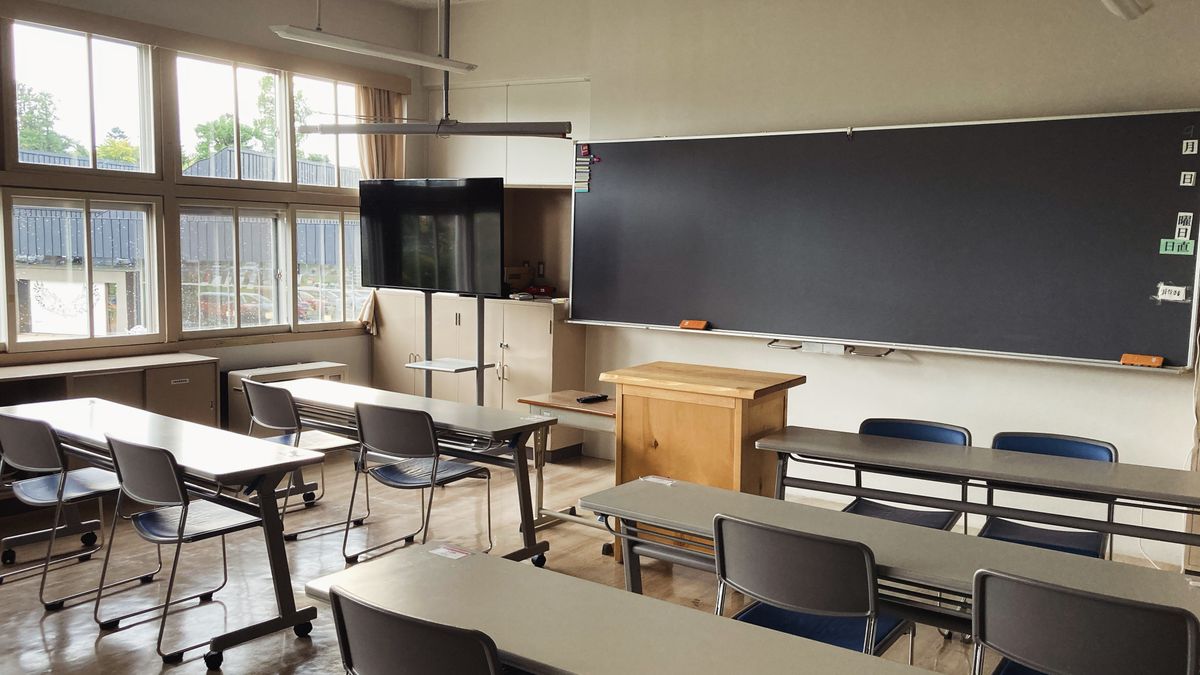
Break down the typical flow: ① distribute a printed notice with preference fields, ② collect and tabulate the responses, ③ resolve the overlaps and fix every family's slot, ④ distribute the final schedule, ⑤ handle change requests one by one. With 30 families listing three preferences each, that's a 90-entry matching problem — solved by hand.
And the person solving it has no spare time to begin with. Japan's education ministry reports that junior-high-school teachers spend an average of 11 hours 1 minute per weekday at school (source: MEXT, "Teacher Working Conditions Survey, FY2022 (preliminary)", published April 2023; scope: full-time teachers at Japanese elementary, junior-high and high schools). Cram schools and studios face the same squeeze: meeting season lands on top of regular lessons, not instead of them.
In short: the heaviest combinatorial chore of the term arrives exactly when the schedule is already at its fullest. That's the structure.
Three accidents of the paper-and-spreadsheet method

The paper-plus-spreadsheet method builds three accidents into the process:
| Accident | What's happening | What prevents it |
|---|---|---|
| Uncollected sheets | Chasing non-responding families by phone after the deadline | A booking page parents finish on their phone in two minutes |
| Overlap untangling | Preferences pile onto the popular slots (evenings, the last day) and become a matching puzzle | First-come open slots — overlaps structurally can't happen |
| Change-request chaos | "Actually, could we move it?" arrives by phone, contact book, and in person — and drifts out of sync with the master list | A self-service change link that updates the list automatically |
Each of these is also an interruption. Change requests from parents arrive during lessons and during after-school activities alike. You cannot rebuild the schedule at the moment the call comes in, so it all gets redone after hours. In the weeks when a class of thirty has to be slotted in, that rework happens again and again.
From "collect and build" to "publish and let them pick"

The fix isn't faster tallying — it's reversing the order. Publish your available windows first (say, July 14–18, 3:00–6:00 p.m., 15-minute slots) and let parents pick from what's open. The preference-matching step doesn't get faster; it disappears.
In this model, a taken slot simply stops being shown to other parents. Overlaps aren't something you resolve — they can't occur. The printed notice only needs the booking page's QR code and URL; a parent books in about two minutes from a phone, and a confirmation email arrives instantly.
What about families who aren't comfortable with phones? Take their preference by phone or contact book as before, and register it on the same booking page yourself. Nobody is forced into a new tool, and every family still ends up in one list.
The four mechanisms that automate it
The open-slot model rests on four mechanisms, each of which deletes a different chore.
- 1. Published open slots: set the window, the slot length, and publish. Collection, tallying, and overlap resolution stop existing.
- 2. Slot design: "15-minute slot + 5-minute break" gives you note-writing time between families and keeps the queue on schedule.
- 3. Self-service changes: parents reschedule from the confirmation email; the freed slot reopens for another family, and your list updates itself.
- 4. Automated reminders: the day-before email replaces one-by-one contact-book confirmations.
Forgotten appointments happen, without any ill intent. Parent-teacher slots are especially easy to lose in a busy week, and in dual-income households the booking itself can slip the mind. Rather than assuming "we told them, so they'll come," build a day-before and morning-of reminder into the system to prevent silent absences and the rescheduling that follows.
How to choose a booking tool for meetings

The checklist maps straight onto the four mechanisms:
- Can parents book without creating an account, from a phone? (Requiring an app install cuts participation)
- Can you design slot length, start intervals, and buffer breaks freely?
- Can parents reschedule or cancel themselves, with the roster updating automatically?
- Is the day-before reminder automatic?
Since the tool may only see heavy use during meeting seasons, check that it starts free or cheap on a flat monthly fee. Below, as one example of a tool that clears all four points, we'll look at SailLab.
SailLab

SailLab is a Japan-built booking system that combines scheduling and registration in one tool. Create a meeting booking page and parents pick an open slot from their phone — no account, no app.
- Slot design: slot length (15, 20 minutes…), start-time intervals, and buffers between slots are all configurable
- Meeting-window limits: accept bookings only within the meeting period and hours you set; outside them, booking closes automatically
- QR code: generate a QR code for the booking page and print it on the notice — distribution done
- Self-service changes: parents reschedule or cancel from the confirmation email link, and the booking list updates automatically
- Automated reminders: day-before (or any timing you choose), sent automatically; teachers always see a current list and day schedule
With multiple teachers, run one booking page per teacher or per class in parallel.
| Plan | Monthly (tax-excl.) | Meeting booking page | Booking links |
|---|---|---|---|
| Free | ¥0 | ✓ | 1 (one teacher, one type) |
| Light | ¥1,000 (¥800/mo billed annually) | ✓ | Unlimited (per teacher / class) |
| Standard | ¥1,500 (¥1,200/mo billed annually) | ✓ | Unlimited |
Meeting bookings work on the Free plan (as of July 2026; details on the pricing page). A single-teacher studio fits Free; a cram school with several teachers or classes fits Light and up.
Judge the cost by "tally hours"

Suppose 30 families: an hour to prepare and distribute the sheets, an hour to track collection and chase stragglers, three hours to match preferences and issue the schedule, an hour of change handling. That's six hours per meeting season — eighteen hours a year at three seasons.
The open-slot model takes about 30 minutes of setup the first time, and later seasons reuse the same page with new dates. It starts on the Free plan (¥0), so the switch costs nothing to try — the hard part is finding a reason not to.
Summary: start with the next meeting notice
Parent-teacher meeting scheduling is heavy because of its order of operations: collecting preferences first, then building the schedule by hand. Flip it — publish open slots and let parents pick — and combine slot design, self-service changes, and automated reminders, and the whole chore reduces to "hand out the notice and wait."
The switch fits neatly into your next meeting cycle:
- Create the booking page with your window and slots — 15-minute slots with 5-minute breaks is the standard pattern
- Put the QR code and URL on the printed notice — distribution stays the same; collection disappears
- Register phone and contact-book requests on the same page yourself — every family lands in one list
For capacity management at seminars and info sessions, see the seminar booking system guide; for schools and studios more broadly, see the education use-case page. You can set up a meeting booking page today — create a free account, no credit card required.
Natsuko Taguchi / SailLab Editorial
Writes for SailLab Editorial on booking intake, prepayment and no-show prevention for businesses that deliver services in person and online.
Automate your booking flow with SailLab
Calendar sync, automatic reminders, and prepaid bookings — all in one booking page. The Free plan takes 3 minutes to set up, no credit card required.