
Read the reviews of Air Reserve and the praise lands in one place. "A completely free online booking system with everything you actually need." "As far as I know, AirRESERVE is the only one offering this much for free." Both are real users, and both are accurate. The free plan runs bookings, customer records and online payments without charging anything.
What the free plan does not include is Google Calendar sync and reminder emails. On a feature grid that reads as two empty cells, which is why it rarely affects the decision. In daily use it shows up differently: as work that repeats on every single booking. This article confirms the price list (as of August 2026), converts those two gaps into minutes per booking, and works out the monthly booking count at which the Basic plan (¥5,500 including tax) becomes the cheaper option.
Contents
- What Air Reserve costs, and what the free plan covers
- The two things the free plan leaves out
- How many minutes per booking it takes to do them by hand
- The booking count where Basic becomes cheaper
- Staying on free: what to decide in advance
- When you need sync and reminders without paying
- Three questions that settle it
For a wider view of how to take bookings, see our resources for solo operators and small teams.
What Air Reserve costs, and what the free plan covers
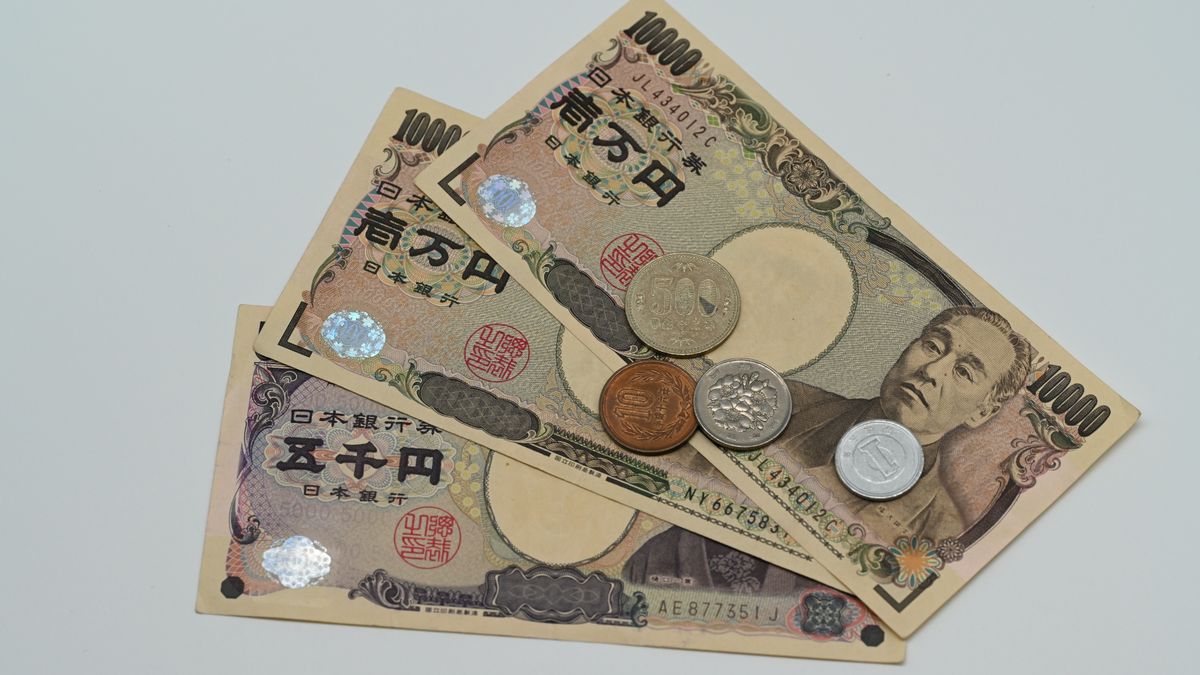
There are four tiers. Free costs nothing, Basic is ¥5,500 including tax, Standard is ¥11,000 including tax, and Premium is quoted on request (as of August 2026).
| Plan | Monthly (incl. tax) | What it adds |
|---|---|---|
| Free | ¥0 | Booking management, customer records, online payments, confirmation emails |
| Basic | ¥5,500 | Google Calendar sync, reminder emails, custom booking fields, multi-location switching |
| Standard | ¥11,000 | Booking surveys, CSV export, customisable confirmation emails, tracking tags |
| Premium | On request | Fixed-IP access restriction, role-based staff permissions |
The free tier genuinely is broad, exactly as the reviews say. Booking management, mobile booking management, customer records, online payments, confirmation emails, SSL and per-store staff permissions all cost nothing. Online payments work on every plan at a 3.24% fee, so if taking card payments is the whole requirement, the free plan meets it (source: Recruit, "Air Reserve pricing", checked 6 August 2026, covering Air Reserve's published prices).
Support on the free plan is documented as email only. Phone support and setup videos begin at Basic.
The two things the free plan leaves out

Two exclusions matter for day-to-day operation. Google Calendar sync and reminder email delivery both start at Basic, ¥5,500 including tax.
Air Reserve's own help centre states the condition for reminders plainly: the feature is for customers on a paid plan. The spec is that reminders go out around 9am the day before the appointment, with editable wording and an on/off switch (source: Air Reserve Help, "Setting up reminder emails", checked 6 August 2026, covering Air Reserve's paid plans).
The part that is easy to miss is that neither of these is a feature you go without — each is work that moves to you. Confirmation emails still arrive on the free plan, so you always know a booking happened. What you do not know is whether it collides with something else in your week, and checking that means opening Air Reserve and your own calendar side by side.
Notably, across the seven published AirRESERVE reviews on ITreview, nobody lists either gap as a downside. The complaints are about the interface: the weekly booking list taking up too much screen, poor density on desktop, and booking entry needing too many steps (source: ITreview, "AirRESERVE reviews", checked 6 August 2026, covering seven public reviews). Seven is a small sample and nothing general should be drawn from it. But it is also unsurprising: nobody writes a complaint about a reminder they never set up. This kind of cost lives in the workload, not the feature grid.
How many minutes per booking it takes to do them by hand

Two tasks replace the two features, and both recur per booking: cross-checking the calendar whenever a booking lands, and sending the reminder the day before. The minute figures below are assumptions — swap in your own measurements.
| Done by hand | When it happens | Assumed here |
|---|---|---|
| Compare Air Reserve against your own calendar | Every booking | 2 minutes |
| Send the reminder the day before | Day before each booking | 2 minutes |
| Total | — | 4 minutes per booking |
Each two minutes is meant to cover noticing, stopping what you were doing, and getting back to it — not just the keystrokes. Batch all reminders once a day and the per-booking figure drops; check each booking's details before sending and it rises.
One cost stays outside the arithmetic. Skip the calendar comparison once and the odds of a double booking rise for that one slot. What that costs when it happens is not time — it is the client relationship and the revenue from a slot that went unsold. It is not counted below, but it belongs in the decision.
The booking count where Basic becomes cheaper
The short answer: valuing your time at ¥2,000 an hour, 41 bookings a month matches the ¥5,500 Basic fee. Above that the paid plan is cheaper; below it, staying free is.
| If your hourly rate is… | 4 minutes costs | Bookings/month to match ¥5,500 |
|---|---|---|
| ¥1,500 | ¥100 | 55 |
| ¥2,000 | ≈¥133 | 41 |
| ¥3,000 | ¥200 | 28 |
| ¥5,000 | ≈¥333 | 17 |
The formula is ¥5,500 ÷ (hourly rate ÷ 60 × 4 minutes) = bookings. Replace the rate and the per-booking minutes with your real numbers and the crossover is yours.
The important reading is that the higher your hourly rate, the fewer bookings it takes for the paid plan to win. At 20 bookings a month the maths already favours paying if those bookings are handled by someone worth ¥5,000 an hour. Conversely, 60 bookings a month can stay on free if they are processed calmly in batches during quiet time. Volume alone does not decide it.
Staying on free: what to decide in advance

Below the crossover, free is the right answer. Decide the manual procedure up front and far less falls through. Three things to settle:
- Pick one calendar. If appointments live in Air Reserve and everything else lives elsewhere, every booking costs two lookups. Either put your other commitments into Air Reserve, or copy each booking out to your main calendar — but choose one direction.
- Fix the reminder time. The paid plan's baseline is around 9am the day before. Match it, and nothing about your routine changes if you upgrade later.
- Decide what happens when you forget. Agreeing in advance whether a missed reminder gets sent on the morning of removes the hesitation in the moment.
If payments are the only reason you are here, none of this applies. Online payments are on every plan at the same 3.24%, so the free plan is the cheapest way to take card payments through Air Reserve.
When you need sync and reminders without paying
There is a third option: a tool whose free plan already includes calendar sync and reminder emails. The choice is not limited to staying on Air Reserve or paying ¥5,500.
Four things are worth comparing:
- Whether two-way Google Calendar (or Outlook) sync is in the free plan
- Whether reminder emails send automatically on the free plan, and whether the timing can be changed
- Whether the free plan caps monthly bookings
- If you take payments, what the combined processing fee comes to
Below, SailLab is offered as one example of a tool that meets all four.
SailLab
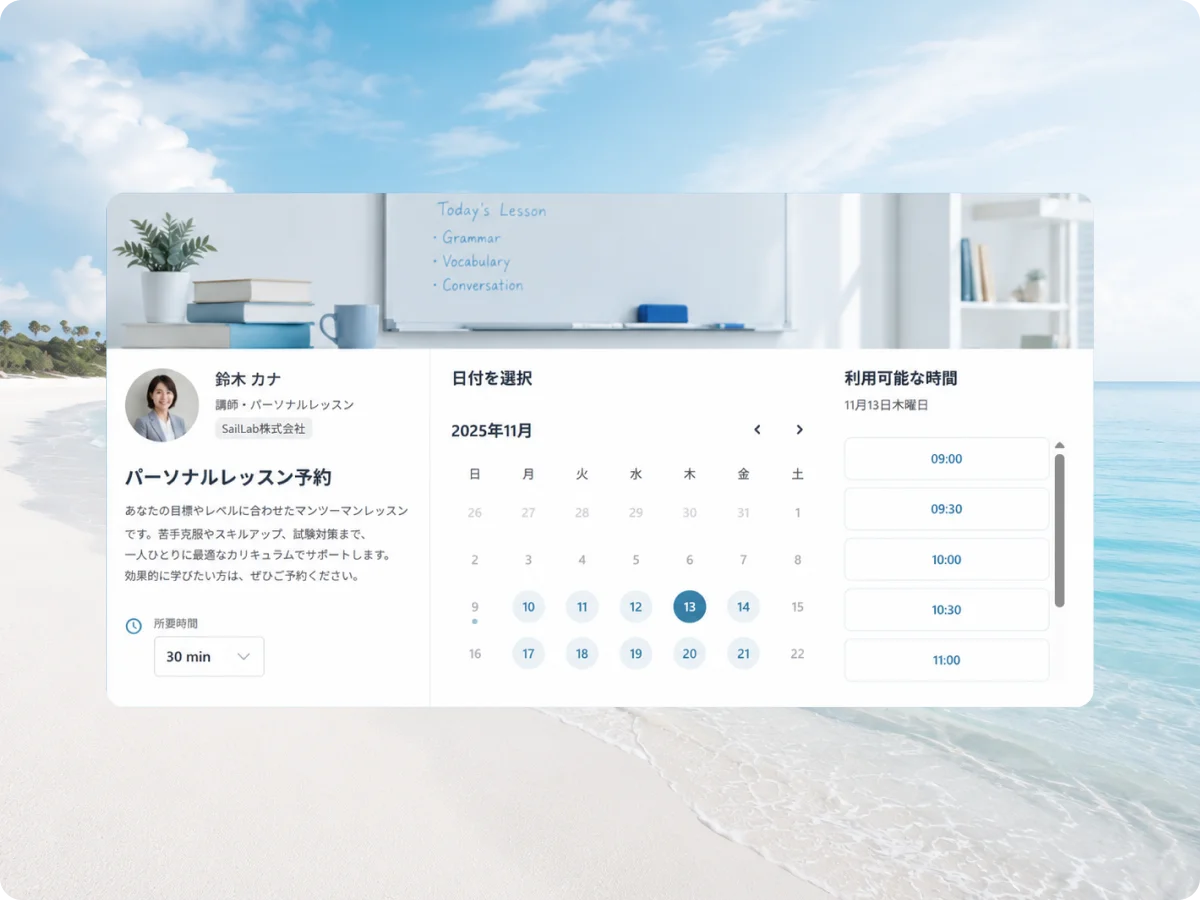
SailLab is a Japanese booking system that combines the booking page, calendar sync and automatic reminders in one product. Its free plan covers both of the manual tasks described above.
- Google Calendar and Outlook sync are in the free plan. Bookings write into your calendar, and existing calendar events remove themselves from your available slots. The cross-check disappears.
- Confirmation and automatic reminder emails are in the free plan. Timing is set in minutes, hours or days before the meeting, and the same mechanism sends follow-up emails afterwards.
- The free plan has no monthly booking limit. It includes one booking page.
- Video links for Google Meet, Zoom and Teams are generated when the booking is made.
In practice, if a single booking page is enough — one-to-one consultations, or one service taken by appointment — the free plan covers it. Splitting bookings across several menus or several staff members needs a paid plan for additional pages.
| Plan | Monthly (excl. tax) | Relevant to this article |
|---|---|---|
| Free | ¥0 | Calendar sync, automatic reminders, unlimited bookings (one booking page) |
| Light | ¥1,000 | Plus unlimited booking pages, multiple hosts, custom URL |
| Standard | ¥1,500 | Plus Stripe payments, service bookings, analytics |
On payments, Air Reserve is cheaper. Air Reserve charges 3.24% on every plan; taking payments through SailLab requires the Standard plan (¥1,500/month excluding tax), where SailLab's 3% is added to Stripe's roughly 3.6%. If collecting payment is the main goal, Air Reserve's free plan is the more sensible choice (as of August 2026). SailLab's free plan becomes the option when calendar sync and reminders are what you need at no cost. Full details are on the pricing page.
Three questions that settle it

Everything above reduces to three questions.
- How many bookings a month do you take? At ¥2,000 an hour the marker is 41. Above it, and if you really are cross-checking and sending reminders every time, Basic at ¥5,500 is already the cheaper option.
- Is everything in one calendar? If your non-booking commitments live somewhere else, the cross-check happens on every booking. If everything already lives inside Air Reserve, that task does not exist for you.
- Can you keep sending reminders by hand? A fixed time the day before that you actually hit means free is fine. Several misses a month outweighs the booking-count arithmetic.
For reducing the per-booking check itself, see booking with Google Calendar and where free runs out; for reminder wording and send timing, see confirmation and reminder email templates. For the wider picture of taking bookings solo, see how freelancers use SailLab.
You can create a free SailLab plan here (no credit card required).
Saori Okada / SailLab Editorial
Writes for SailLab Editorial on setting up booking and scheduling for one-person businesses and small teams.
Automate your booking flow with SailLab
Calendar sync, automatic reminders, and prepaid bookings — all in one booking page. The Free plan takes 3 minutes to set up, no credit card required.